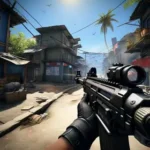
Call of Duty®: Mobile is a first person shooter game that brings console style multiplayer and battle royale to smartphones.
Call of Duty: Mobile (CODM) delivers fast tactical combat designed for touch screens. The game focuses on competitive matches, large-scale survival, and an extraction experience that rewards smart decisions. It includes customizable controls with voice and text chat so you can coordinate in real time. Content updates arrive on a steady cadence with new themes and rewards. You can manage storage through modular downloads that add HD resources and maps only when needed. Download Call of Duty: Mobile APK latest version on APKPure and jump in and play the way you prefer.
Core Features
Multiple ways to play
Call of Duty: Mobile supports quick 5v5 Multiplayer for short sessions, large Battle Royale for longer runs, and the DMZ: Recon extraction loop for high-risk objectives. This variety keeps your pace fresh as you switch between modes.
Controls that fit your style
You can adjust the HUD, sensitivity, and layout to match your grip. There is voice and text chat for squad calls in CODM. Optional controller support is available if you want a different input method for aiming and movement.
Familiar maps and characters
Classic Call of Duty locations such as Nuketown, Raid, Rust, Terminal, and Satellite appear with mobile optimizations. Operators like Ghost and Outrider are available alongside CODM originals, so your roster feels recognizable and flexible.
Deep loadouts and progression
You build custom loadouts with weapons, attachments, perks, and scorestreaks. Your progression in Call of Duty: Mobile unlocks camos, blueprints, and reactive skins. This system lets you fine-tune builds for objective play, flanking, or long-range control.
Ranked and social competition
Ranked mode measures performance through tiers, and Clans provide group progression with coordinated objectives. Moreover, CODM Esports integrates events and the World Championship to connect competitive players with official rules and rewards.
Seasons, events, and smart downloads
Monthly seasons add themes, limited-time events, and a Battle Pass with items to earn. Crossovers appear during select periods to refresh cosmetics. In addition, modular downloads let you add only the content you want to keep the initial size manageable.
DMZ: Recon in Call of Duty: Mobile
DMZ: Recon introduces a PvPvE extraction format that focuses on decisions rather than long firefights. You enter with a plan, gather items and intel, and extract to bank rewards. The mode fits short sessions while still offering meaningful progression.
- Pick a class, review your starting kit, and choose an infil point with your squad.
- Gather loot, complete contracts, and manage risk as other squads and AI opponents patrol the area.
- Extract before the timer expires to secure everything you collected and advance your class track.
This design rewards cautious play and teamwork. Therefore, you can rotate between DMZ: Recon and traditional modes without changing your control setup or HUD.
Redeem and CP guidance for Call of Duty: Mobile
Call of Duty: Mobile supports code redemption during special events. To redeem, prepare your UID from the in-game profile, then enter it on the CODM official redemption page and confirm via in-game mail. After that, claim rewards in the mailbox. In addition, the in-game store may feature Bonus COD Points offers during limited windows. Always check the store banner and news tab for timing and terms before purchasing.
Esports and live ops in Call of Duty: Mobile
The World Championship hub centralizes schedules, rules, and rewards for competitive players. You can review match settings and eligible modes to prepare loadouts before qualifiers. Then, progress through stages to unlock cosmetic rewards while aiming for higher brackets. Seasonal crossovers, such as collaborations with well-known franchises, appear in the news feed and trailers so you can preview content before downloading optional packs.
How to start fast in Call of Duty: Mobile
If you are new, it helps to set up controls, test weapons, and learn map routes before jumping into Ranked. The steps below keep it simple while covering the basics for any mode.
- Download Call of Duty: Mobile APK latest version on APKPure, install, then log in and complete the tutorial to unlock core menus.
- Open Settings and customize your HUD, sensitivity, and graphics. After that, enable voice or text chat and link a preferred account for security.
- Enter Training or a casual Multiplayer playlist to test recoil patterns, aim assist, and scorestreak timing.
- Build a starting loadout with a balanced assault rifle, a reliable secondary, and a UAV. Then, try different attachments to find a control pattern that feels natural.
- Switch to Battle Royale or DMZ: Recon and focus on positioning, sound cues, and map rotations, so you learn safe routes before pushing objectives.
Download and play now
Call of Duty: Mobile brings fast firefights, flexible controls, and steady seasonal content to your phone. Download Call of Duty: Mobile APK from APKPure and keep it updated to the latest version for new modes and rewards.
Official resources for help and news:
- Official site: https://www.callofduty.com/mobile
- Support: https://support.activision.com/