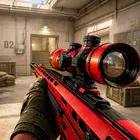
Chicken Gun is a multiplayer shooter game that mixes fast paced combat with comedic chickens.
Chicken Gun suits players who want quick online matches with a lighthearted theme. You jump into short sessions that focus on simple controls and fast action, so it is easy to play when you have a few spare minutes. The tone stays playful, yet the matches still feel competitive. For users who prefer direct installation, the Chicken Gun APK is available for Android devices.
Chicken Gun Features
Online multiplayer modesChicken Gun offers two core ways to play. You can join 5v5 team battles where teamwork matters and objectives guide each round. Alternatively, free for all puts every player on their own, which creates fast, chaotic fights that reward quick decisions.
Rooster and gear customizationYou can personalize your rooster and equipment in detail. Change beaks, sneakers, and caps to match your style, then adjust your weapon to fit how you like to play. These options help your character stand out while keeping controls clear and accessible.
Explosive egg attacksCombat includes a signature twist with explosive eggs. You throw eggs to pressure enemies around corners or to break up clustered opponents. Timing and placement matter, which adds variety without complicating the core shooting.
Quick matchmaking and arcade style actionChicken Gun focuses on getting you into matches fast. Rounds run short, so you can complete a game and move on without long waits. The shooting feels direct and responsive, which supports steady pacing throughout each session.
Stylized visuals and comedic toneArmed chickens and a playful look set Chicken Gun apart from traditional shooters. The visual style keeps matches light even when competition is tight. This balance helps the game remain approachable while still offering clear feedback in combat.
Data safety in Chicken Gun
The developer states that Chicken Gun does not collect user data and does not share data with third parties. Communication between the app and servers is encrypted in transit, which helps protect information while you play online. These points can reassure users who want a straightforward online shooter with simple privacy practices.
Before downloading Chicken Gun
Chicken Gun is built around online multiplayer, so a stable internet connection helps ensure smooth matchmaking and consistent gameplay. Sessions are designed to be quick, which suits short breaks or casual play. The game is available on multiple platforms, yet this page focuses on Android usage. If you prefer the Chicken Gun latest version on Android, check for updates regularly to access recent improvements.
How to play Chicken Gun on Android
After you download Chicken Gun, you can enter matches quickly and start playing right away. The steps below outline the basic flow, from picking a mode to using explosive egg attacks during combat.
- Open Chicken Gun and wait for the main menu to load, then review any prompts or settings so you are comfortable before starting.
- Choose a mode from the menu. Pick 5v5 Team if you want structured objectives, or select Free for All if you prefer solo, fast action.
- Customize your rooster and loadout. Adjust beaks, sneakers, caps, and weapon choices, then save your setup to use in matches.
- Enter matchmaking and join a lobby. Once the round begins, move, aim, and fire using the on screen controls, and learn the layout of the map as you go.
- Use explosive eggs to control space. In team matches, coordinate egg throws with teammates, and in free for all, time throws to disrupt opponents and create openings.
Start playing now
Chicken Gun delivers quick online matches with a playful style and a clear focus on competitive shooting. If you want short, fast sessions on Android, download Chicken Gun to get started.
For official information and support, use the links below.
- Website: https://chalosite.com/
- Support Email: 8gravitygames@gmail.com